


-100x100.jpg)


-100x100w.png)


BMW 5 Series GT F07 2009-2017 Android Head Unit | GPS, CarPlay & DAB Car Stereo Upgrade




- Stock: i lager
- Modellnummer: 8258
- Vikt: 2.51kg
- Mått: 25.00cm x 30.00cm x 25.00cm
- SKU: 8258
- UPC: 610012092056

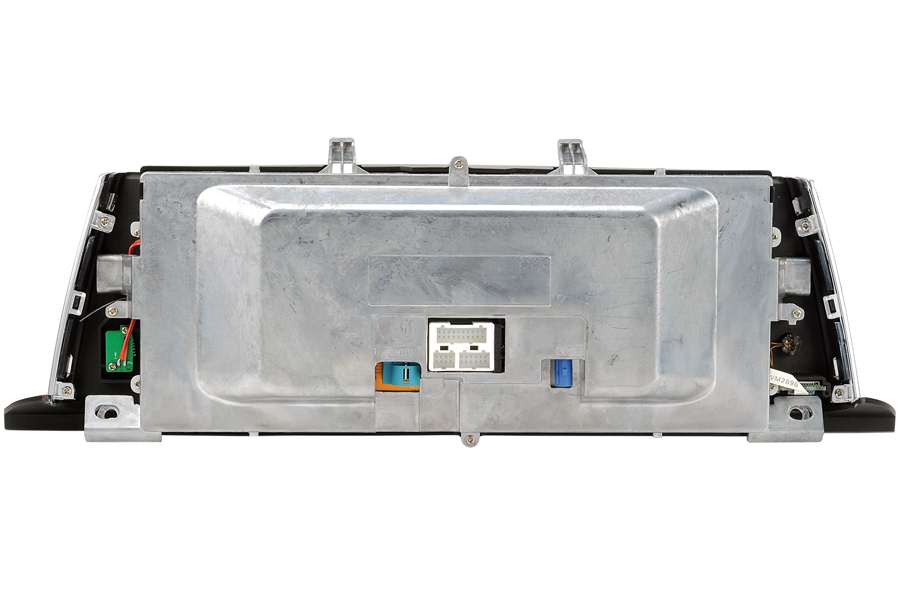
BMW aftermarket navigation headunit has a 10.25-inch touchscreen, it is specially designed to upgrade the stock radio system on BMW 5 series GT(F07) 2009-2017, totally plug and play, with no need to cut wires and free GPS navigation map preloaded for your country. It comes with a CANBUS decoder, which supports the original car information.
Compatibility:
BMW 5 Series 5-door Gran Turismo (F07) 2009, 2010, 2011, 2012, 2013, 2014, 2015, 2016, 2017
Note above year range is for your reference only. Send a photo of the dashboard(radio system) to info@bilstereonord.se if you are not sure about compatibility.
Which iDrive system do I have, CCC, CIC, or NBT? Click here to find out.
Android Version: 12.0 (genuine specs).
How do I know what system it is on my BMW?
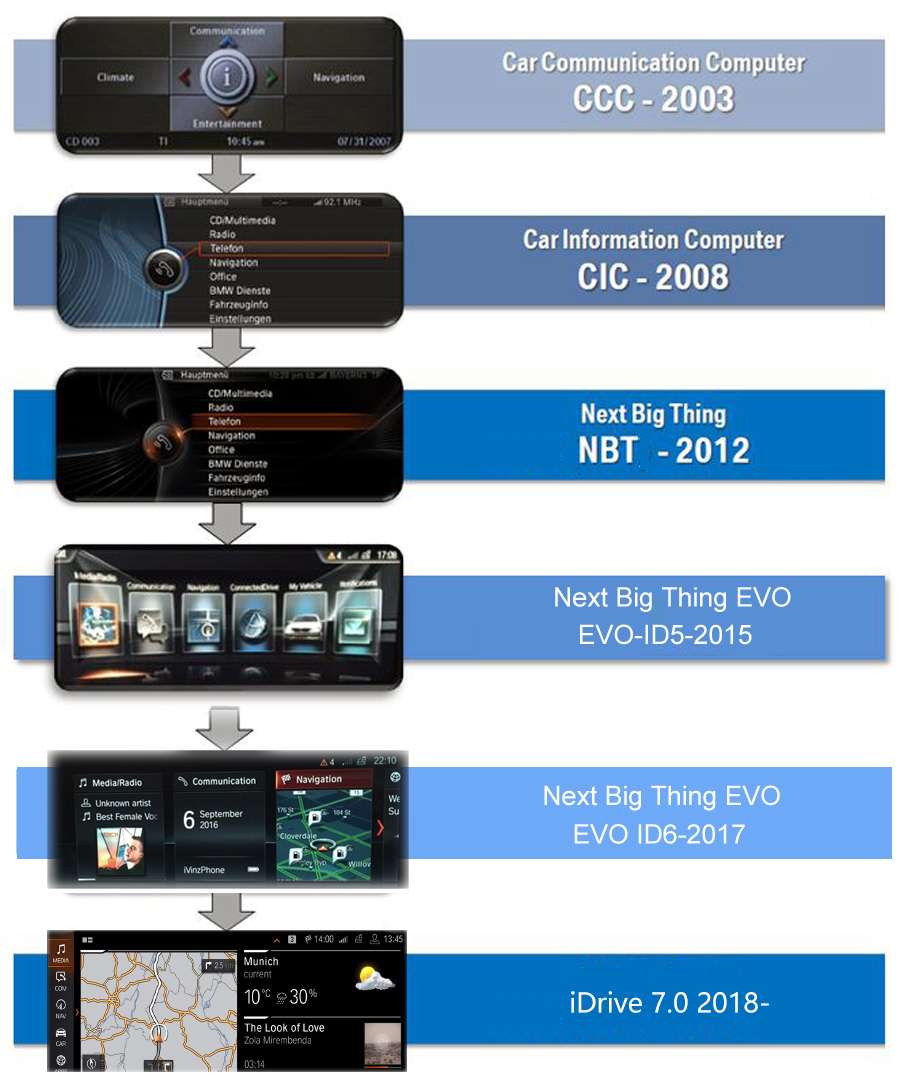
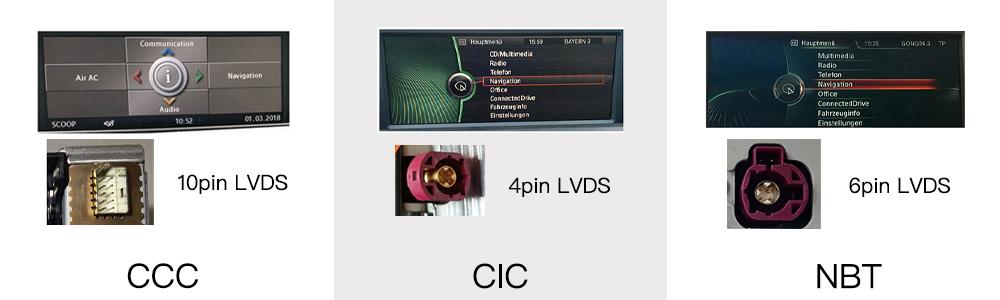
Factory dashboard FYI:
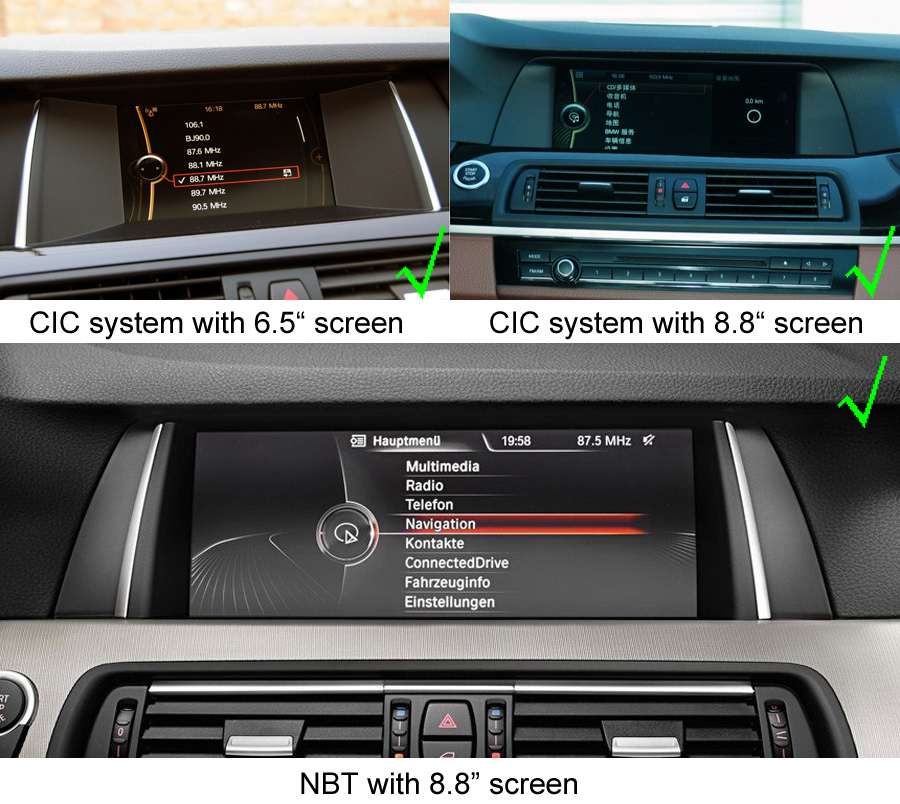
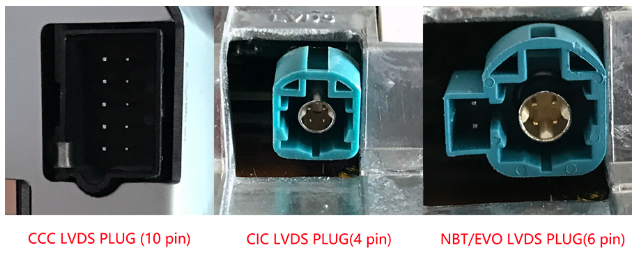
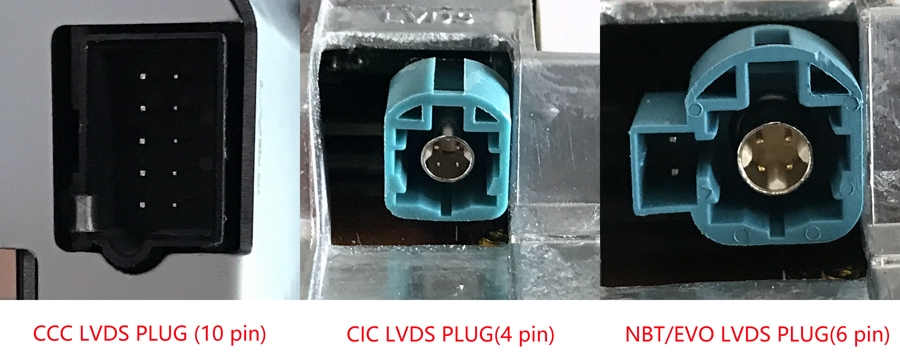
NOTE, if your car equips with an NBT system, then the LVDS behind the original screen is 6 pins. If your car equips with a CIC system, then the LVDS plug may be 4-pin or 6-pin. You must remove the original screen to check if it is 4-pin or 6-pin. The products are totally different, if you choose the wrong LVDS connector style, you will get the wrong product.
If you do not know how to verify the compatibility, please send photos of the existing dashboard with the home menu on the screen, the VIN of your car, and the LVDS connector behind the existing screen to info@bilstereonord.se, we will help you to check.
| Operating system | Android | |
| Display | 10.25-inch, resolutions 1280 by 480(1920 by 720 optional) | |
| Processor | 1.4 GHz 4-core 28nm Qualcomm Snapdragon 425(optional 2.0 GHz 8-core 14nm Qualcomm Snapdragon 625 MSM8953) | |
| Memory | 2GB(4GB optional) | |
| Storage | 32GB(64GB optional) | |
| SD/TF card | One 3.0 card slot(Max 128GB) | |
| USB port | USB 3.0 ports(Max 64GB) | |
| Video play | MP4, AVI, RMVB, FLV, MKV 4K, H.264(AVC),H.265(HEVC) etc. | |
| Video input | One video input(RCA port)(optional) | |
| Camera input | One camera video input(RCA port) | |
| Microphone | Internal & External Microphone(optional) | |
| Bluetooth | Bluetooth 5.0 module | |
| Network | Wi-Fi and 4G LTE | |
| Audio IC | RK616(Built-in Core module) | |
| GPS receiver | External GPS antenna(include) |


Frequently asked questions:
Is this product plug-and-play? Do I need to program or code my BMW? Do I need to buy an external GPS antenna? Can I still check the car info on the OEM screen?
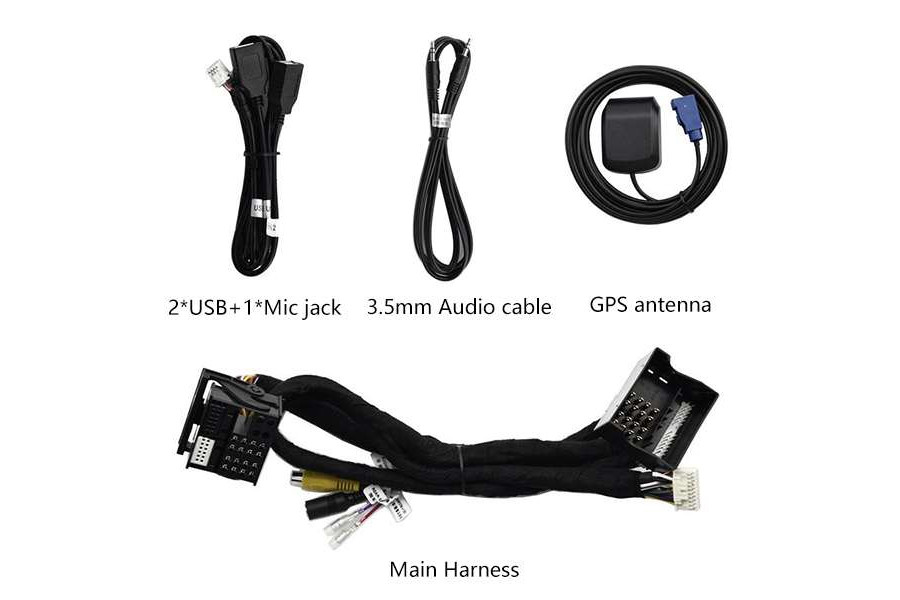
Answer: Yes, it is totally plug-and-play, it has the same plugs and harness as the original BMW system. You do not need to program your car when installation, totally plug and play. All necessary accessories are included in the package. You do not need to buy anything else to make it work. You can still check the original BMW car info as before.
How do I switch the new Android system to the original BMW CIC/NBT interface?
Answer: Please tap the “Car-info” icon on the home screen OR long press (3 seconds) the MENU button on iDrive to switch to the original CIC/NBT interface.
How do I switch the original BMW CIC/NBT interface to the new Android system?
Answer: Please tap the screen or long press (3 seconds) the MENU button on iDrive.
Why it shows “No signal” when tapping “Car-info” or switching back to the original BMW interface?
Answer: Please check the LVDS port. Make sure you connect the LVDS plug (removed from the OEM screen) to the new screen.
.jpg)
Different systems have different LVDS plugs.
Why there is no audio from the new Android system?
Answer:
A. Please check the AUX-IN cord. Make sure it is plugged into the AUX-IN port on your car.
.jpg)
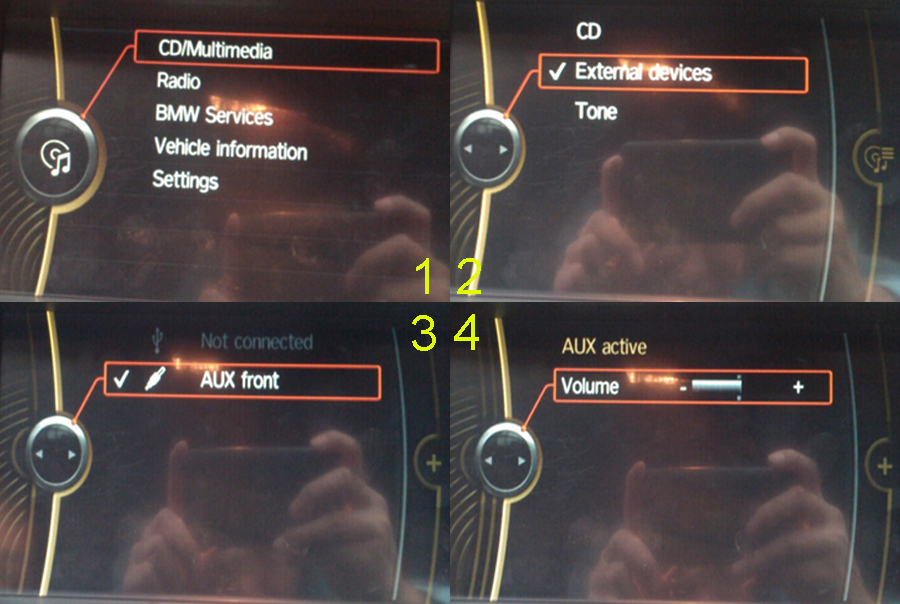
B. And also you need to activate the AUX-IN function.
CD/Entertainment/External devices/External audio input (AUX front)/activate.
Why do the Sirius/XM radio, original car computer info, and factory camera not display? Why does the AUX-IN volume stucks on zero and is not adjustable?
Answer: Please check the fiber optics plug, you need to move it from the original connector to the new connector we provided.
.jpg)
My car has a factory backup camera, why it does not display when reverse the car?
Answer: Please check the Settings/system setting/Rear camera type. Make sure the "Original camera" option is activated.


